Chapter 6
How Do I Name the People and Roles Behind Each Safeguard?
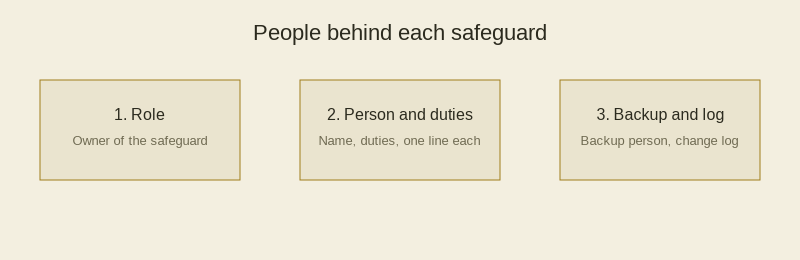
Your plan lists fifty safeguards, but no name sits next to any of them. When the assessor asks who owns one, the room goes quiet. That silence is the gap, and names fix it.
A System Security Plan (SSP) describes how a system meets each safeguard. NIST Special Publication 800-18 Revision 1 is the guide for writing one. It asks for the roles and duties behind the plan, not just the tools.
An assessor reads the plan to learn who does what. A safeguard with no owner looks unowned. A safeguard with a role but no name looks vague. Both slow the review.
What to name for each safeguard
Name four things per safeguard. First, the role that owns it. Second, the person who holds that role today. Third, the duties that role must do. Fourth, the backup person when the first is away.
Use role names your team already uses. System owner, system administrator, security officer, and user are common roles. Do not invent new titles for the plan. The plan must match how the team really works.
How to write the roles section
Write one roles section near the front of the plan. List each role, the person in it, and the duties in plain words. Keep each duty to one line. A duty that takes a paragraph is two duties.
Then point each safeguard at its role. A short line is enough: "Owner: system administrator." The reader can check the roles section for the name. Do not repeat the full duty list under each safeguard. That makes the plan long and hard to keep current.
How to keep names current
People change jobs. Names in a plan go stale fast. Review the roles section each time someone joins, moves, or leaves. Change the name the same week. A plan that names a person who left six months ago tells the assessor the plan is not kept.
Keep a change log at the end of the plan. Each entry lists the date, the change, and the person who made it. The log shows the plan is a living document, not a file from last year.
What to do this week
Open your plan and find the roles section. Check that each role names a person who still works there. Check that each safeguard points to a role. Fix the first three gaps, and log the change.
Sources
- NIST SP 800-18 Revision 1, National Institute of Standards and Technology.
- NIST SP 800-37 Revision 2, National Institute of Standards and Technology.
- Original diagram by PolicyCortex.
Next step
Want your plan linked to live evidence for each safeguard? See how PolicyCortex builds it from your systems.