Chapter 26
How Do I Describe Connections to Other Systems in the SSP?
Your SSP describes your system well. Then the assessor asks about the link to your prime, your cloud, and your payroll vendor. If those links are vague, the whole SSP looks vague. Write them down properly.
Why connections get their own section
SSP means System Security Plan. NIST SP 800-171 Revision 2 requires the plan to describe the system and its environment. Requirement 3.12.1 covers the boundary and the operating environment. Requirement 3.12.4 covers the plan itself (NIST SP 800-171 Revision 2).
Connections are part of the environment. Each connection is a path CUI can travel. CUI means Controlled Unclassified Information. An assessor cannot judge your boundary without seeing every path in and out.
What to write for each connection
Write one entry per connection. Each entry needs six facts. First, the other system and its owner. Second, the purpose of the link. Third, the type of data that crosses it. Fourth, the direction of flow. Fifth, the protection on the link. Sixth, the agreement that governs it.
Protection means the real control, not a label. Name the encryption used, if any. Name the access rule that limits who can use the link. Name the logging that records its use.
Agreement means the paper behind the link. That may be a contract clause, a memorandum, or an interconnection agreement. Name the document and its date. If no paper exists, say so and set a date to fix it.
A worked example
Your company sends CUI drawings to a prime through a portal. The entry names the prime and the portal. The purpose is design review. The data is CUI drawings. The flow runs both ways.
The protection is portal login with multifactor authentication. MFA means multifactor authentication. The portal logs each download by user and time. The agreement is the subcontract clause on CUI handling, dated with the subcontract.
That entry is short, but it answers every question an assessor will ask. Copy that pattern for each link.
Connections people forget
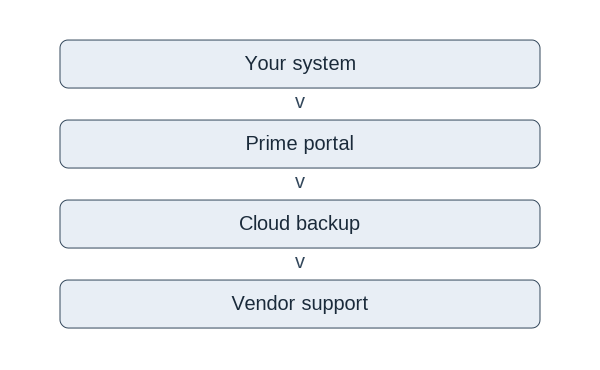
Vendor support links are the most forgotten. A vendor with remote access to your system is a connection. A cloud backup that pulls data nightly is a connection. An email service that carries CUI is a connection.
Internal links count too. A link from your CUI system to your general office network is a connection. If CUI can cross it, it belongs in the section. If CUI cannot cross it, say why in one line.
Also list connections that were removed. A removed link with no note looks like a missing entry. A short note with the removal date closes the question.
Keep the section current
Review the section each quarter. Ask each team lead if any link changed. New vendors, new tools, and new primes each add a link. Retired tools each remove one.
Update the system diagram at the same time. The diagram and the section must match. An assessor who finds a link in one place but not the other will doubt both.
Next step
PolicyCortex collects evidence from live Azure configuration using 33 collectors. The collectors read conditional access, diagnostic settings, Defender posture, backup, and firewall. The evidence is evaluated against NIST 800-53 and NIST 800-171. It supports re-verification after remediation. It generates SSP, SAR, and POA&M output from collected evidence. SAR means Security Assessment Report. POA&M means Plan of Action and Milestones. PolicyCortex is strongest in commercial Azure, and AWS is covered. Start at https://policycortex.com.
Sources
- NIST SP 800-171 Revision 2, Protecting Controlled Unclassified Information in Nonfederal Systems and Organizations, National Institute of Standards and Technology. https://doi.org/10.6028/NIST.SP.800-171r2
- NIST SP 800-171A Revision 2, Assessing Security Requirements for Controlled Unclassified Information, National Institute of Standards and Technology. https://nvlpubs.nist.gov/nistpubs/SpecialPublications/NIST.SP.800-171a.pdf